Quizsm is a self-assessment platform designed to help users evaluate their skills through structured quizzes and certifications.
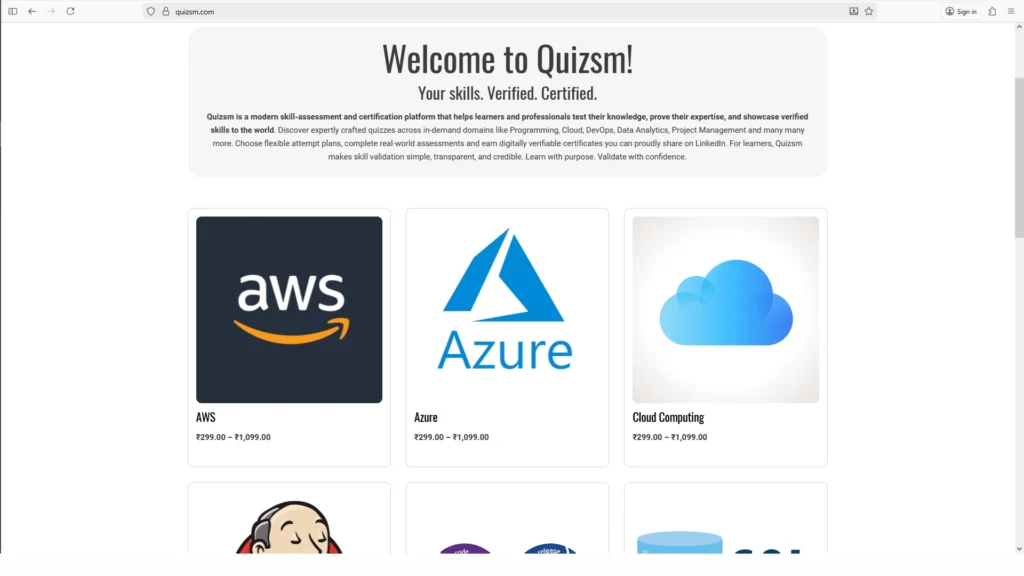
The homepage displays a list of all available quizzes. Users can explore and select any quiz based on their interest or learning goals.
2. Quiz Details Page
Once a quiz is selected, users are taken to the Quiz Details Page, similar to an e-commerce product page. Here, users can view:
- Quiz description
- Total questions and duration
- Certification details
- Available attributes
3. Select Quiz Attributes
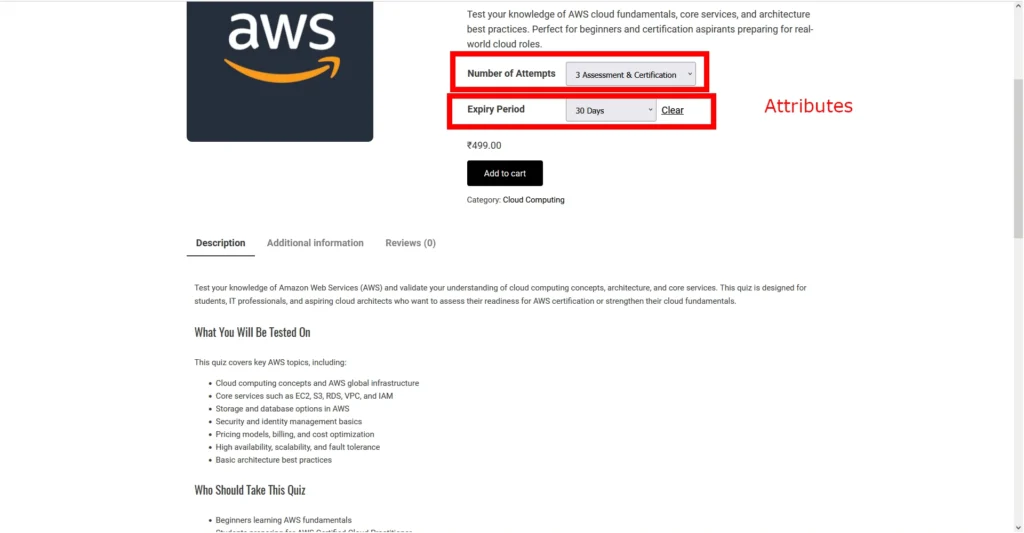
Each quiz comes with configurable options:
Quiz: Number of Attempts
Choose how many times you want to attempt the quiz (e.g., single attempt, multiple attempts per month).
Quiz: Expiry Period
Each quiz has a validity period, within which all attempts must be completed.
Users can select the desired combination before adding the quiz to the cart.
4. Add to Cart
After selecting the attributes, users can add the quiz to the cart.
The mini cart (top-right corner) updates automatically with the number of selected items.
Users can click “View Cart” to review their selections.
5. Update Quiz Selection
If you want to change the selected attributes:
Remove the quiz from the cart using the delete icon Go back to the Quiz Details Page Re-select the attributes and add the quiz again
(Note: We are currently working on improving this experience to make it more user-friendly.)
6. Checkout Process
Once you are satisfied with your selection:
Proceed to the Checkout Page:
If you are an existing user, simply confirm your details and choose a payment method If you are new, fill in your basic information and complete the purchase.
7. Order Confirmation
After successful checkout:
You will receive a registration confirmation email (for new users)
You will also receive an order confirmation email with purchase details
8. Access Your Quiz
Once the purchase is complete:
The quiz will be available in your Dashboard
You can start your assessment based on the selected attempt plan and expiry period
9. Attempt Quiz & Get Certified
- Take the quiz within the allowed time
- Get instant results (based on quiz settings)
- Earn a digital certificate upon successful completion
Summary
Quizsm combines the simplicity of an e-commerce experience with powerful self-assessment tools, allowing users to learn, evaluate, and validate their skills with confidence.